
About Dave.ca
Dave.ca Communications Inc. was founded in 2008 with the goal of providing both on-line and off line campaigns to bring attention to client’s events, products and causes.
We have worked with politicians, political parties, non-profit organizations and a variety of businesses. Time is often of the essence so Dave.ca works quickly to build the presence required to meet your goals. Quick – simple – effective.
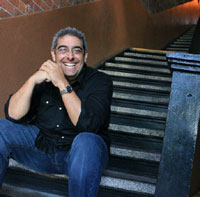 Recently, we earned the 2009 Outstanding Small Business of the Year Award through the Tri-Cities Chamber of Commerce. In addition, Dave.ca President, Dave Teixeira, was honoured with the City of Port Coquitlam’s 2009 Volunteer Recognition Award in the area of Caring & Safety for his years of volunteer work.
To learn more about Dave Teixeira, read his bio HERE. Below is his short bio for program publication or media introduction:
Dave Teixeira (pronounced Tah-share-ah) is President of Dave.ca Communications Inc., a proud Port Coquitlam based public, media, government relations company specializing in social media campaigns.
Dave.ca is called upon to provide consulting services for a wide range of clients from politicians to combat sports companies and non-profit organizations such as SHARE Family Services and Pink Shirt Anti-Bullying Day – which he co-founded in 2008.
Recently Dave.ca headed up social media during Premier Christy Clark’s Leadership and election campaigns, created CanucksRiot2011.com to ID criminals in the aftermath of the June riots in Vancouver, developed a grassroots campaign with the family of victim of child killer Allan Schonenborn to keep him in custody and provided social media support to SHARE Family Services in July 2011 to assist with their record setting food drive.
Dave has appeared in hundreds of media articles around the world offering insights into how social media helps forward client needs such as CNN, USA Today, BBC, The Vancouver Sun, CBC, CTV and on CKNW with his 30 minute weekly Totally Awesome Social Media Show.


